We've made several improvements across Replenishment, Purchase Orders, Suppliers, and Reports & Filters to give you more control and visibility across your inventory.
⛔️ Exclude Products from Replenishment
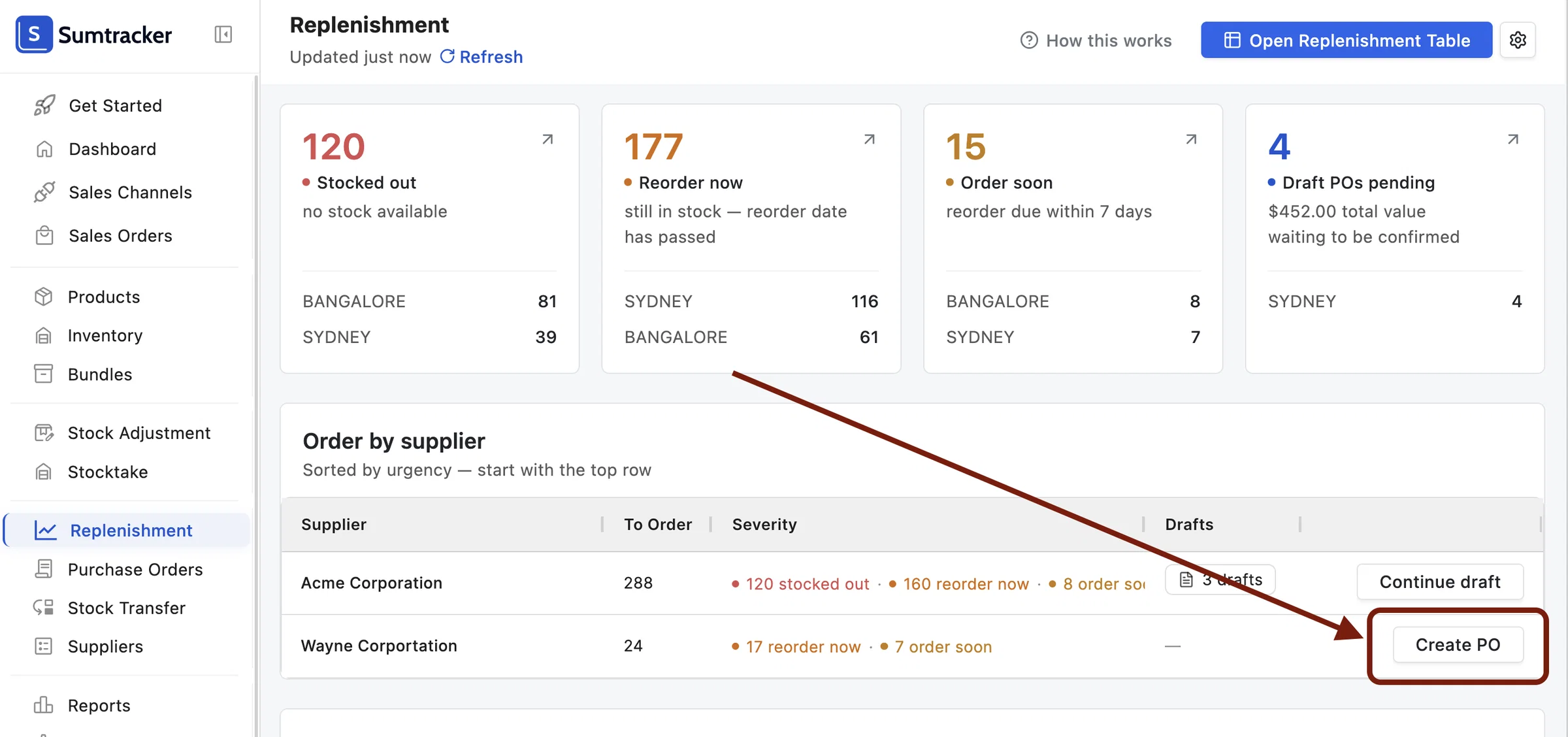
You can now exclude products from Replenishment that you don't need to reorder. Select the products in the Replenishment Table and click Exclude from Replenishment at the bottom.
To bring a product back into Replenishment, go to Settings > Replenishment Settings > Excluded Products.
🛒 Improvements to Purchase Orders
💰 New Retail Price, Margin, and Margin % columns
Purchase Orders now show Retail Price, Margin, and Margin % columns, so you can check your margins while placing an order. These columns are also available on Receive Notes.
✨ Suggested Quantity by Min/Max is back
Alongside the existing Suggested Reorder Quantity based on Replenishment, you can now also add a Suggested Quantity (Min/Max) column, calculated from your Min/Max stock levels.
Within a PO, go to Add Products > Columns > Suggested Quantity (Min/Max) to enable it.
📦 Pack Quantity column
You no longer need to calculate unit counts manually when ordering by the pack. Enter the number of packs in the new Pack Qty column, and Sumtracker automatically calculates the total units for you.
For example, type 5 in Pack Qty if you're ordering 5 packs, and Sumtracker will work out the total number of units for you.
🌐 Hebrew language support in PDFs
PDF prints in Purchase Orders now support Hebrew, so you can generate Purchase Order PDFs for products that have names or variant information in Hebrew.
🏬 Improvements to Suppliers
🔐 User Permissions for managing Suppliers
You can now control which users are allowed to change Supplier information, giving you more control over who can edit supplier details across your account.
You can do this by going to Settings > Manage Users > Edit a User > Manage Supplier.
✏️ Edit Supplier info directly from the table
Supplier details like Lead Time, Safety Days, and Supplier Notes can now be edited directly from the Suppliers table, without opening each supplier individually.
📊 Improvements to Reports & Filters
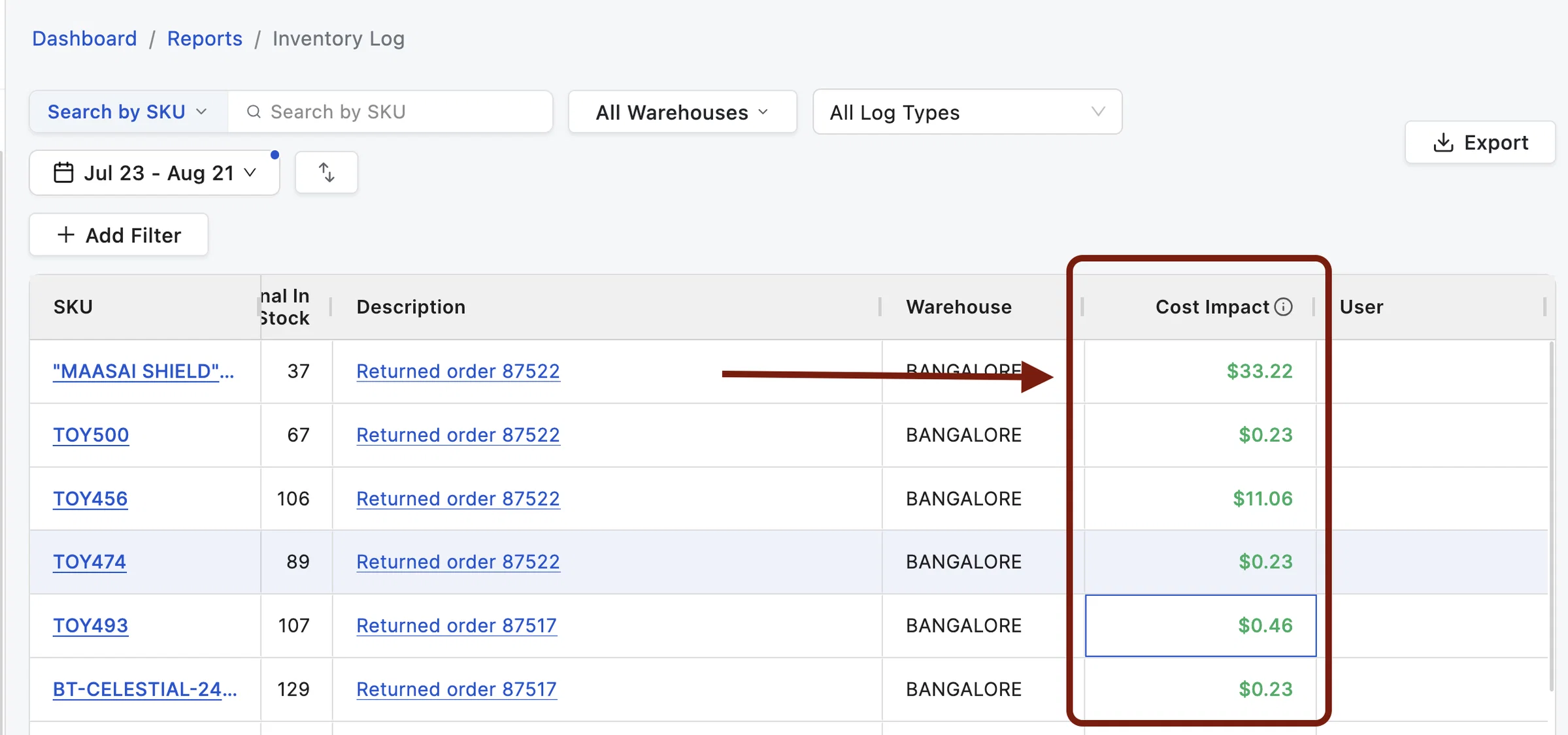
💵 Weighted Average Landed Cost and Cost Impact in Inventory Log
The Inventory Log now shows Weighted Average Landed Cost (WALC) and the resulting Cost Impact for each entry. This lets you see exactly how each inventory adjustment affects your business in real cost terms.
A few points to note about these columns:
- They show your products' Weighted Average Landed Cost.
- They show the current WALC for all products (not the cost as it was when the adjustment was made), and WALC gets recalculated every time you receive a Purchase Order for those products.
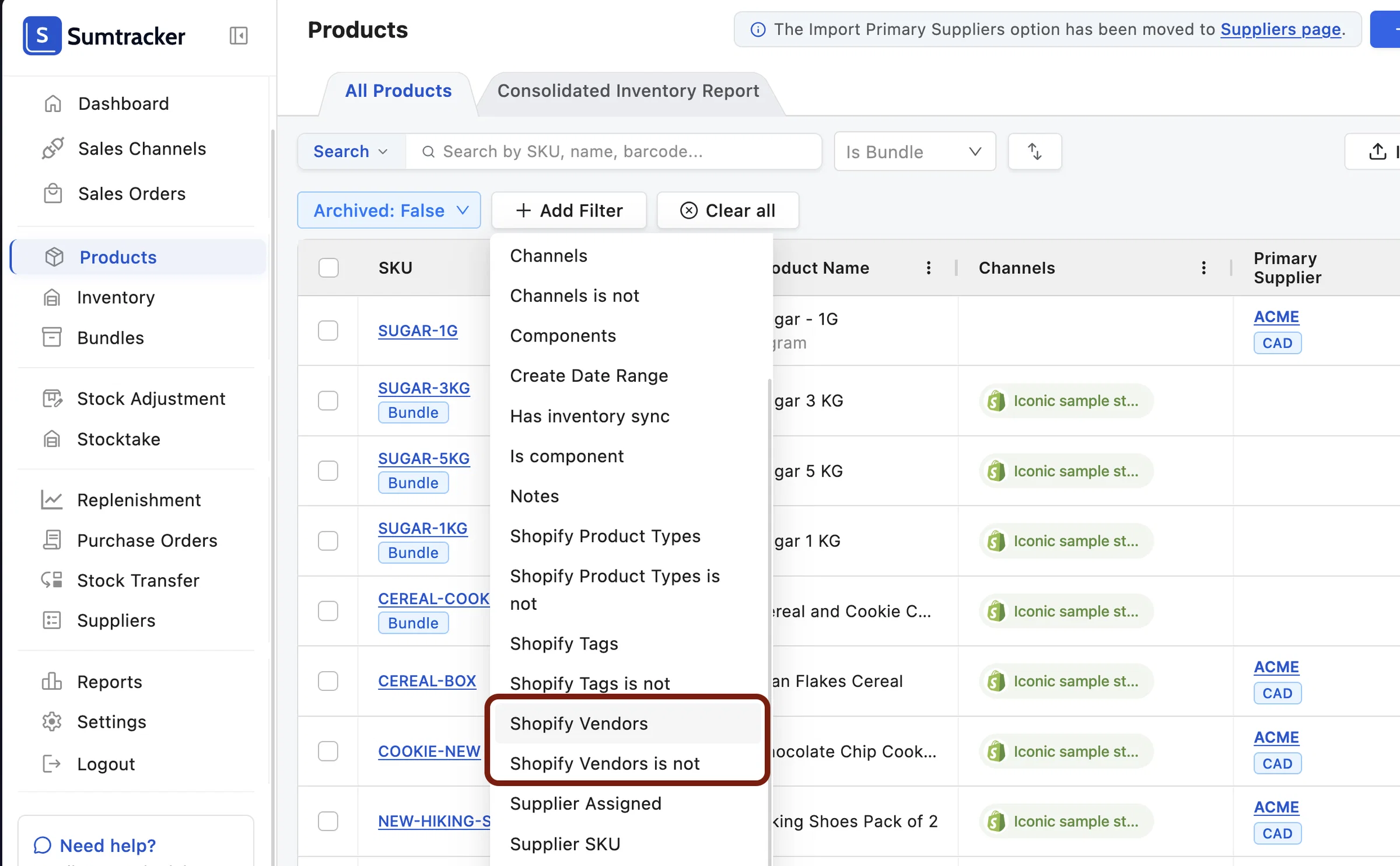
🔍 Shopify Vendors filter
A new Shopify Vendors filter is now available across multiple pages, letting you filter products by their Shopify Vendor.
This is especially useful if your Shopify Vendors are not the same as your Suppliers in Sumtracker.
🏪 Channels filter
You can now filter by Channels, and Channels is not in the Products page, Consolidated Inventory Report, Bundle Cost Report, Purchase by Product, and Purchase by Supplier reports.
This helps you see which products exist (or don't exist) in a specific sales channel.
If you have any questions or feedback about these updates, we'd love to hear from you!