Busy Months and Improved Forecasting Parameters in Replenishment
Summary of changes:
- New Busy Months setting in Replenishment Settings, so your peak season gets its own forecast
- Reorder suggestions now take more factors into account, including your recent sales pace and your busy months
- API keys are now limited to 1 on the Manage plan and 4 on the Replenish plan
- New Number Format option to choose between US / UK and European number styles
- Dates now use one consistent format (for example Oct 01, 2026) across the app
📅 Define your Busy Months for better Reorder Suggestions
If your sales peak at the same time every year, for example November and December, you can now set those as Busy Months under Settings → Replenishment Settings → Busy Months.
You can choose up to 3 months for your whole account.
Busy months get their own forecast rate, based on how that month sold last year. This keeps your peak months from being forecast too low and your quiet months from being forecast too high.
🔮 New factors to drive your forecasts in Replenishment
Replenishment now takes more into account when suggesting what to order and when. Some of the new factors being considered are:
- Your 12-month sales history: how the product has sold over the past 12 months in that warehouse, counting only the days it was in stock
- Recent sales pace: if a product has recently been selling faster or slower than its yearly average, the forecast is adjusted to match
- Busy months: if you've set busy months, those months are forecast at their own sales rate (usually higher than other months)
A product needs at least 14 days with sales or with stock available to get a forecast. Products below that will have no reorder suggestion.
🔑 New API key limits
The Manage plan now includes 1 API key, and the Replenish plan includes 4. If you already have more than 1 API key, your existing keys are not affected.
🔢 You can now set the Number Format for your account
A new Number Format option under Settings → Account Profile → Regional Settings lets you choose how numbers appear: 1,234.56 (US / UK style, the default) or 1.234,56 (European style). The format applies across the whole app.
📅 Changed Date format across the app for clarity
Dates across the app now show the month as a word, for example Oct 01, 2026, Oct 01, 2026 12:07 PM when a time is shown. Numeric formats like 01-10-2026 or 10-01-2026 are no longer used.
🛍️ Fulfillment Status for Shopify orders
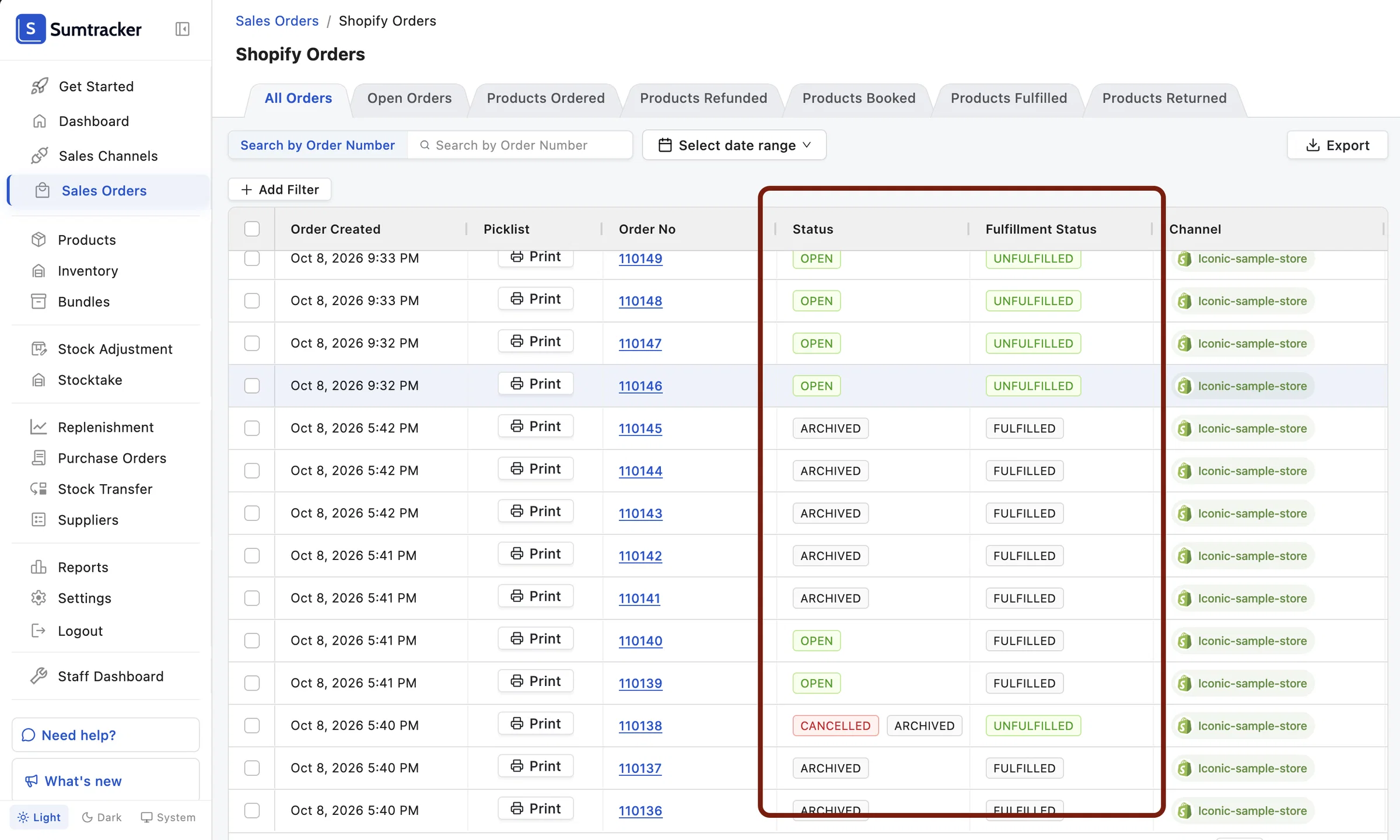
Shopify orders now have two columns: Status and Fulfillment Status. Status shows whether the order is open, archived, cancelled or deleted, and Fulfillment Status shows whether it has been fulfilled.
If an order shows as Fulfilled in Fulfillment Status, then inventory has already been adjusted for it even if it shows Open in the Status column.
🏷️ Status for Shopify product listings
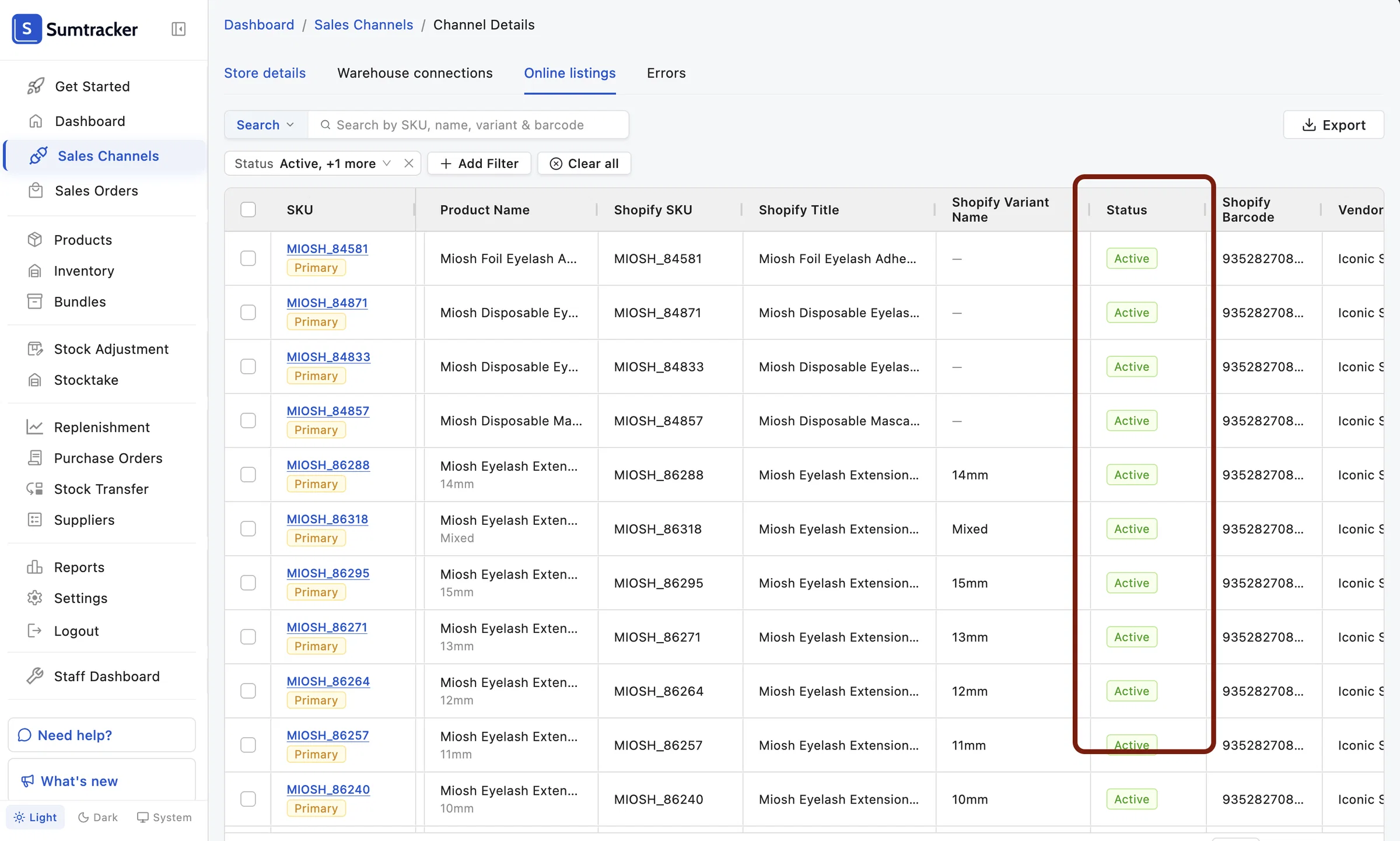
Shopify Online Listings now show the listing's Status (Draft, Active, Unlisted or Archived).