Major improvements to your PO Planning workflow!
Summary of changes:
- New Plan tab inside Purchase Orders with Replenishment data, customizable views, and saved filters
- New “Add All Products” button to add your entire catalog in one click, with or without suggested reorder quantities
- Products tab renamed to Line Items, with new filters for Blank Quantity and Error Lines, and an option to Bulk Delete lines.
- Confirmed status of POs has been replaced by a Confirmation Date field.
- New Ship By Date field added to POs to track when a supplier has shipped an order
- PO headers can now be collapsed for a cleaner view
- Start Ordering in Replenishment now creates a Draft PO directly and opens the Plan tab
📋 New "Plan" tab in Purchase Orders
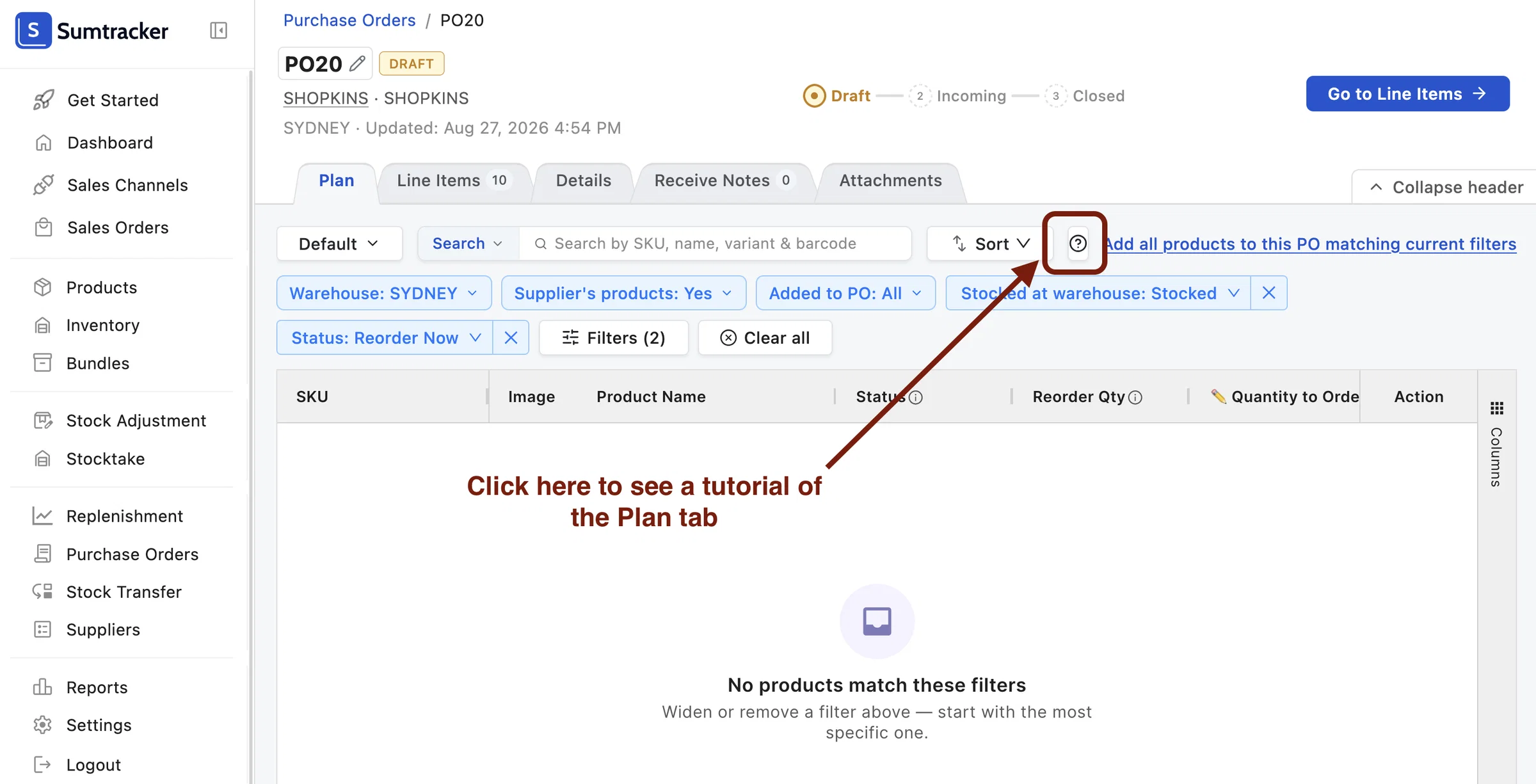
A new Plan tab is now available inside every Purchase Order. It brings your Replenishment data directly into the PO workflow, so you can see forecasts, reorder suggestions, and product details while building your order and planning your budget, without switching between screens.
A tutorial on how to use the Plan tab is available directly inside the platform.
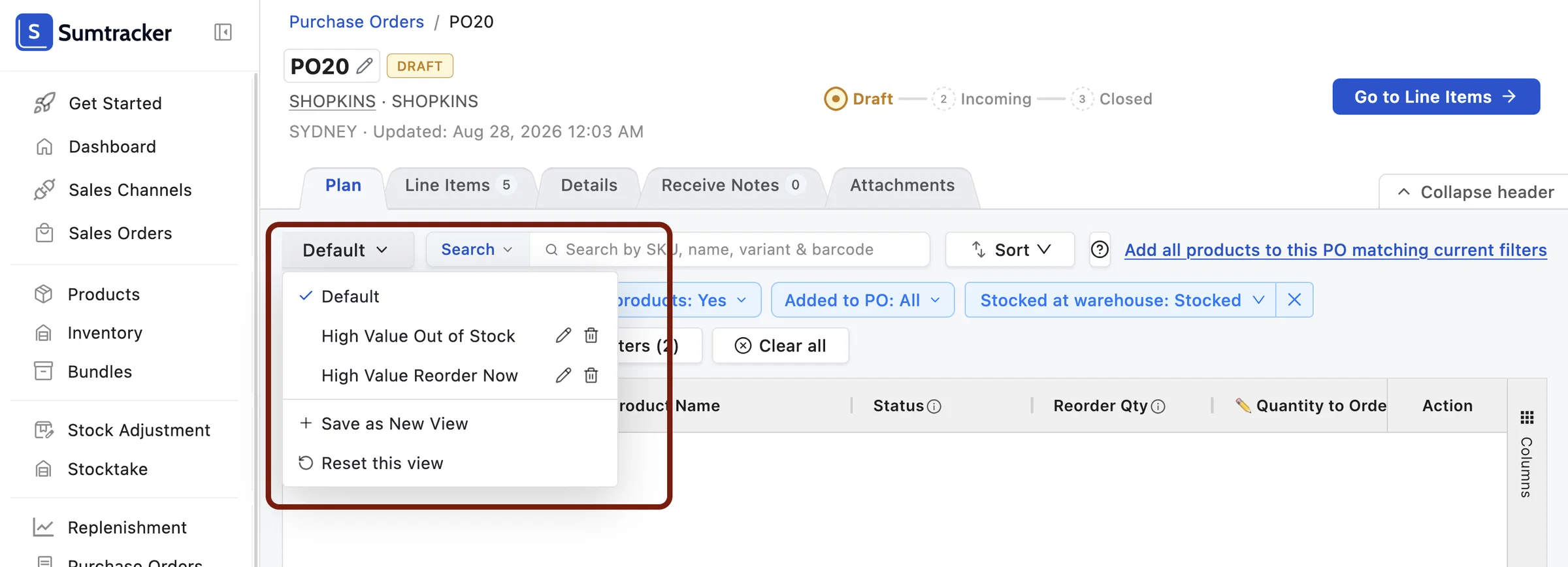
📌 Saved Views in the Plan tab
The Plan tab is fully customizable. You can create and save multiple views with your own filters and column layouts.
📦 Add all products in one click
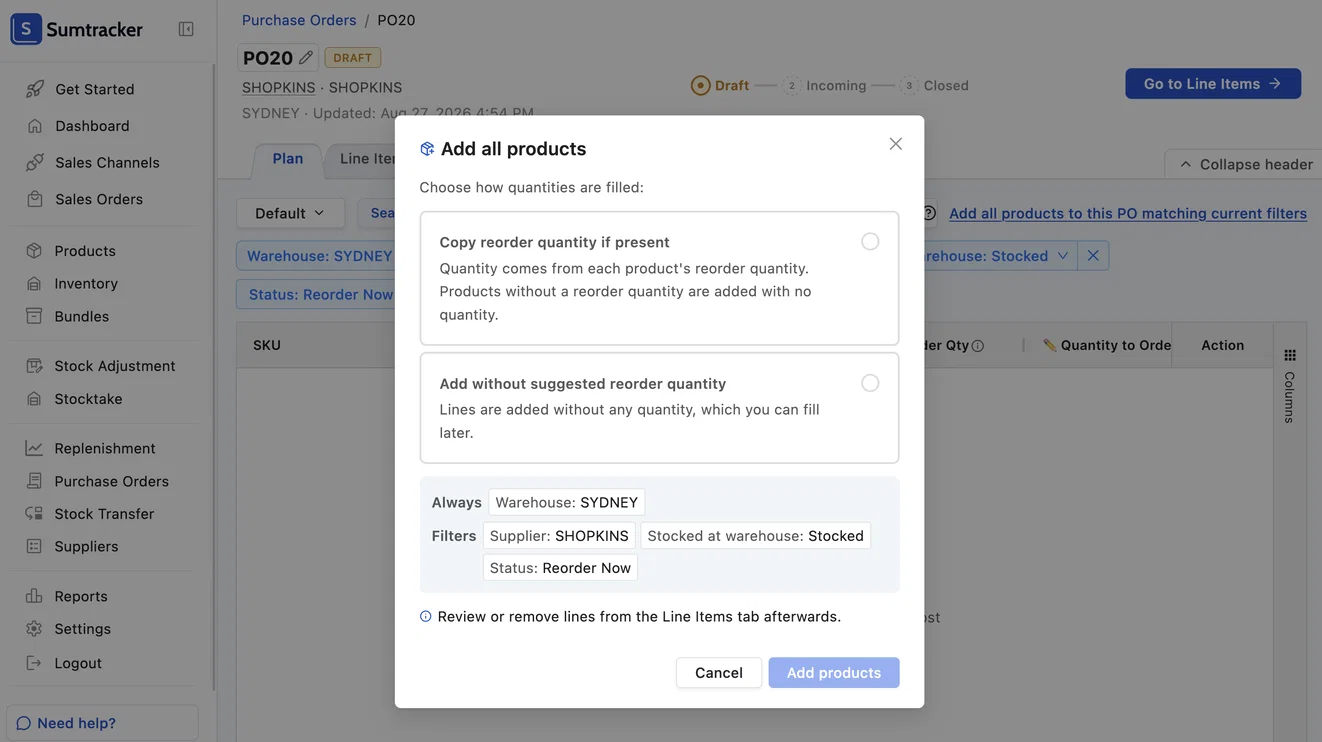
A new Add All Products button lets you add all products matching the applied filters to the PO in one click.
When adding, you can choose to include the suggested reorder quantities from Replenishment, or add the products without quantities if you prefer to fill them in manually.
🔍 PO Line Items tab has new filters
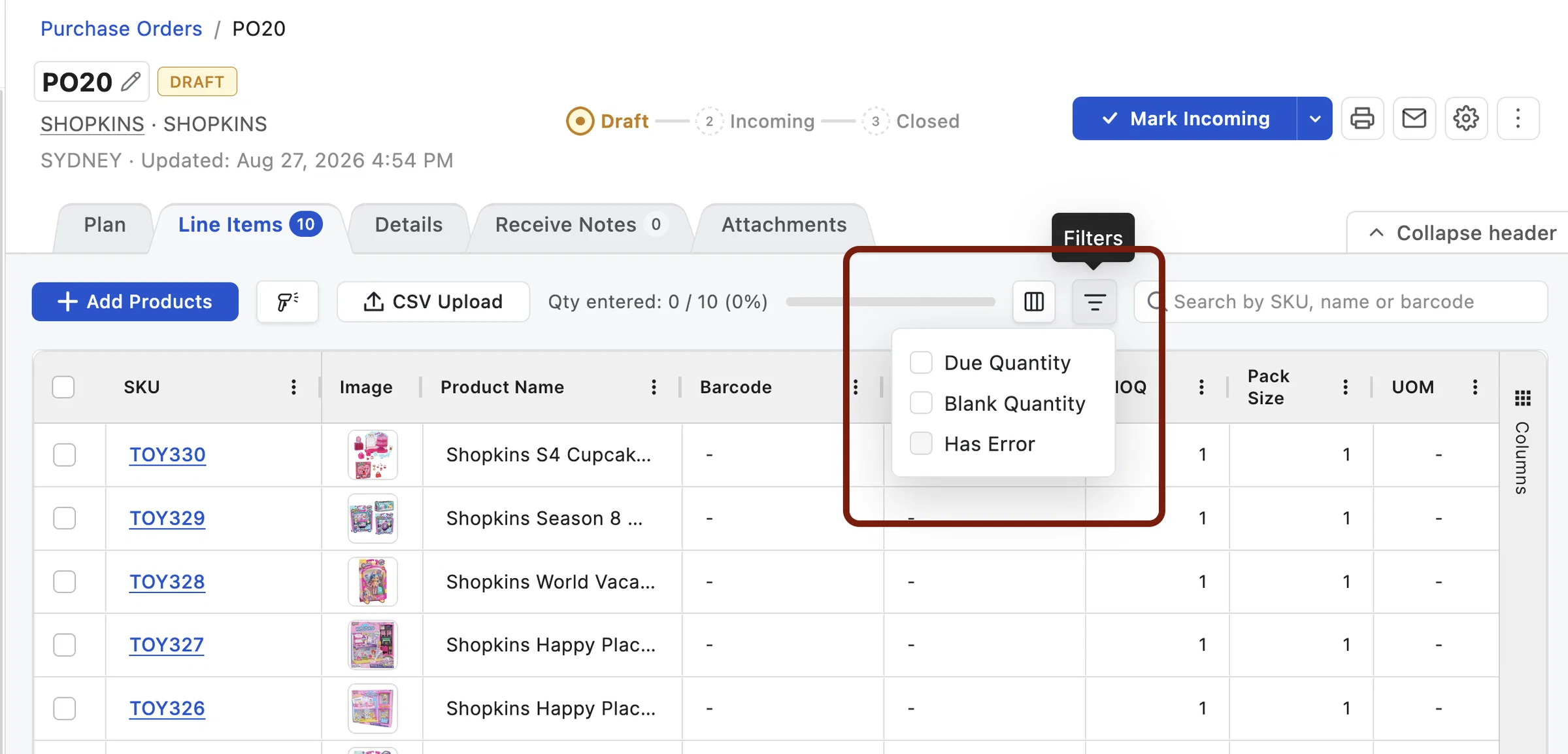
The Products tab inside Purchase Orders has been renamed to Order Lines. You can now filter lines by Blank Quantity (lines where no quantity has been entered yet) and Error Lines (lines with validation issues), making it easier to catch and fix problems before sending an order.
🗑️ Bulk delete PO Line Items
You can now select multiple lines in the Order Lines tab and delete them all at once, instead of removing them one by one.
💰 Confirmed status has been removed from POs. Replaced by Confirmation Date
The Confirmed status has been removed from Purchase Orders. In its place, there is now a Confirmation Date field where you can record when an order was confirmed with your supplier.
We're also working on bringing color-coded Tags for Purchase Orders, which will give you an even more flexible way to track statuses like confirmation, urgency, payment statuses, or anything else your team needs.
📅 Ship By Date
A new Ship By Date field lets you record when your supplier is expected to ship the order, so you can track delivery timelines and follow up if a shipment is running late.
✨ Collapsible headers
The header section of a Purchase Order can now be collapsed for a cleaner view while you work on the order lines.
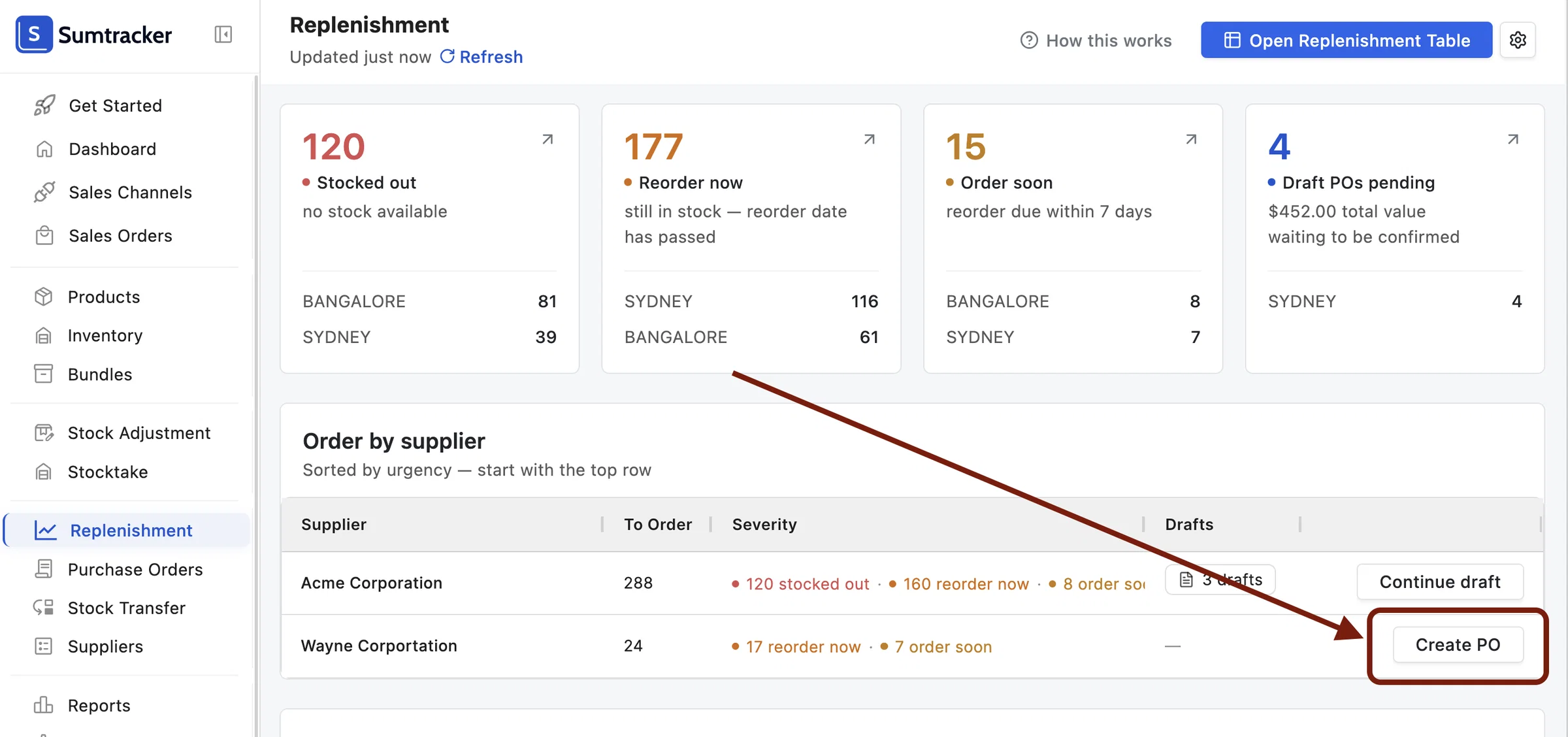
🔄 Starts a Draft PO directly from the Replenishment Dashboard
The Start Ordering button in Replenishment previously took you to the Replenishment table to select products before creating a PO.
It has now been replaced with a Create PO button that creates a Draft PO directly and opens the Plan tab, where all your Replenishment data is available for you.
If you have any questions or feedback about these updates, we'd love to hear from you!